
Programs / Membership & Dues Manager
Membership & Dues Manager
Members, dues and reports in one place. For any organization that keeps a member list.
- Trial with up to 10 members
- Windows 10 & 11
- No credit card
- Associations
- Foundations
- Sports clubs
- Gyms
- Swimming pools
- Community centres
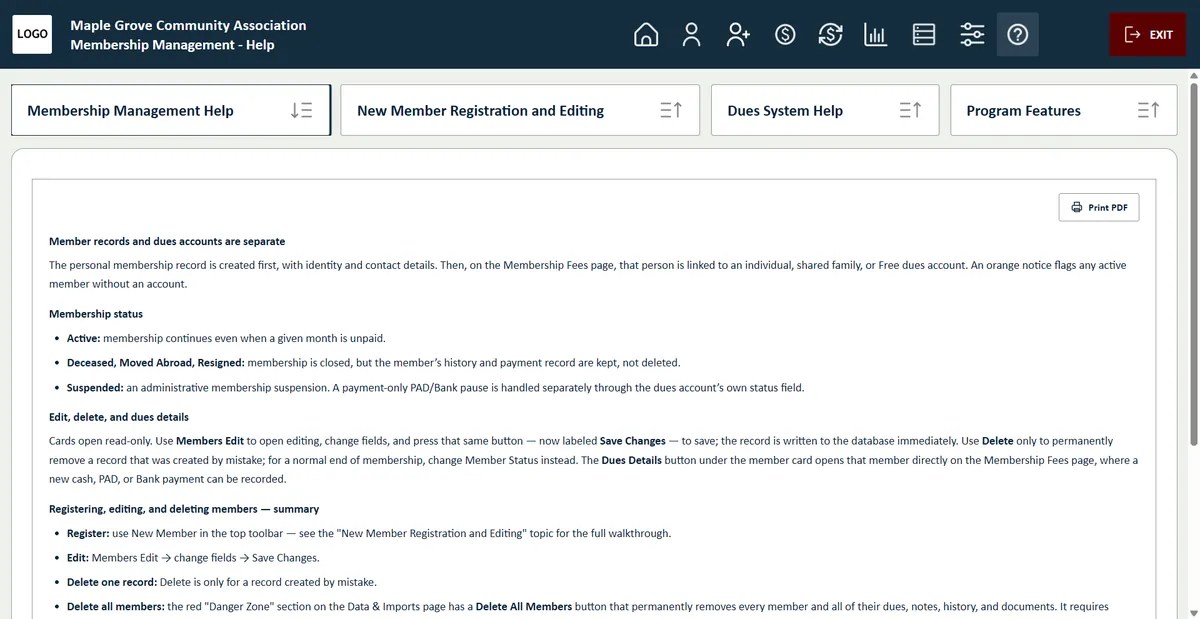
How it works
From registration to a complete payment history. Four steps, all in one program.
- Register the memberEnter personal and contact details once, in a single member record.
- Open a dues accountFor the member alone, or shared with other members such as a family, under one payer.
- Record the paymentsCash payments are entered with their receipt numbers. PAD and bank payments are imported from your bank lists, month by month or for a whole period at once.
- Check the member cardSee at a glance which months were paid and which are still open.
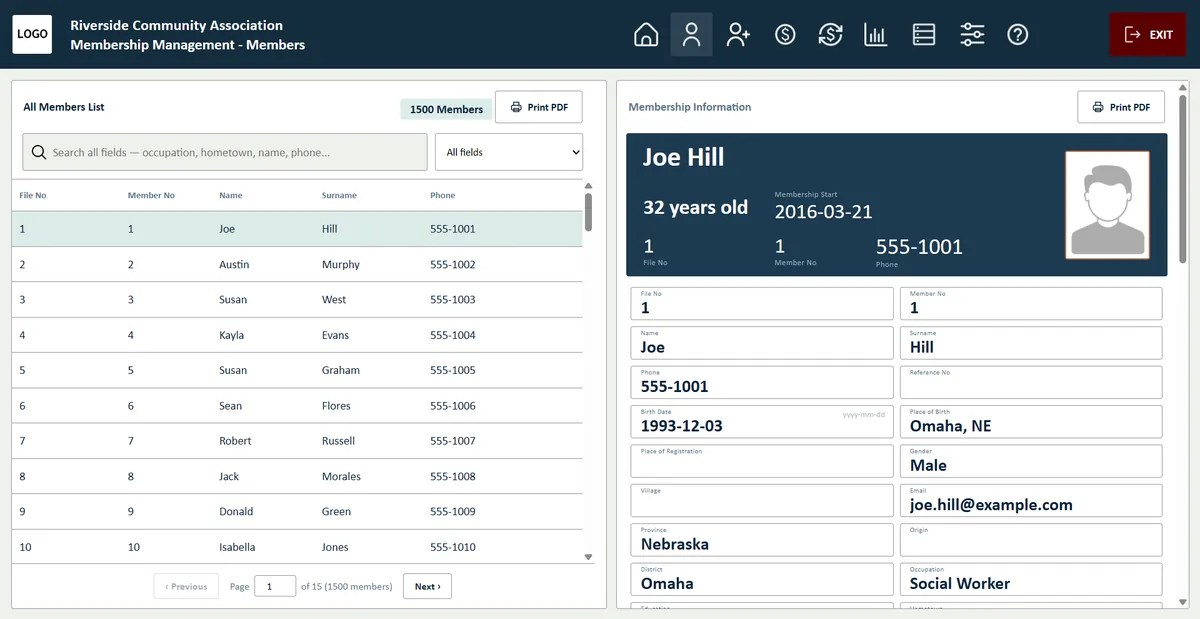
Member records
Every member, one clear profile.
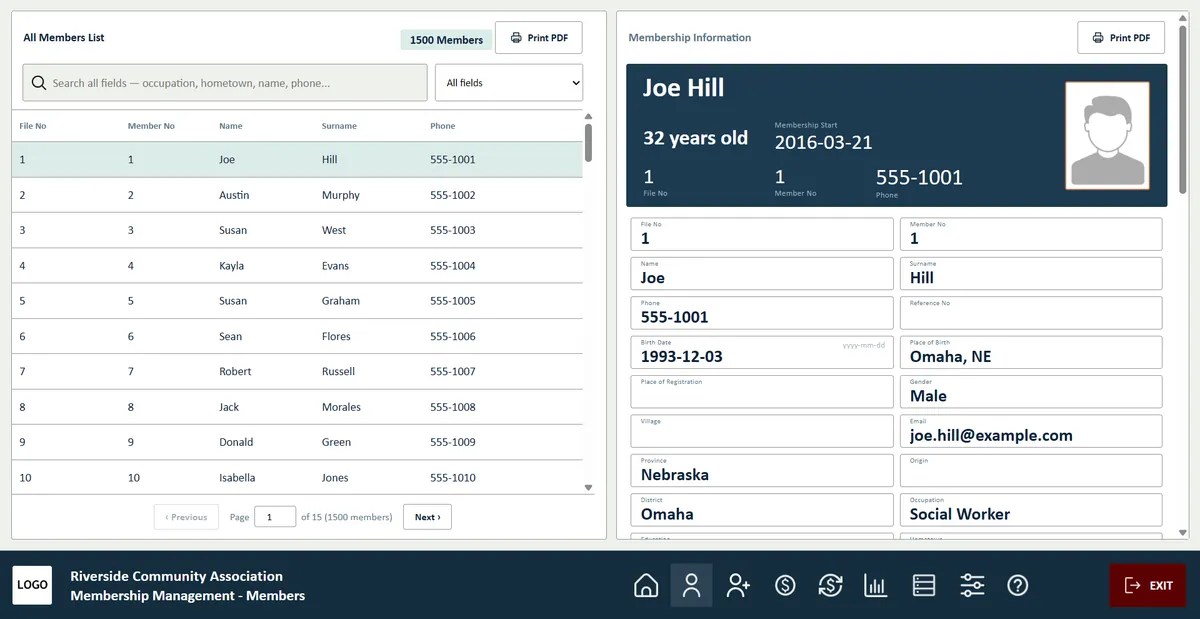
- Member photo on every card: upload a photo with one click and it appears on the member card.
- Contact and personal details with member number and membership start date.
- Search across every field: name, phone, hometown, occupation and more.
- Member cards and profile PDFs ready to print.
Dues
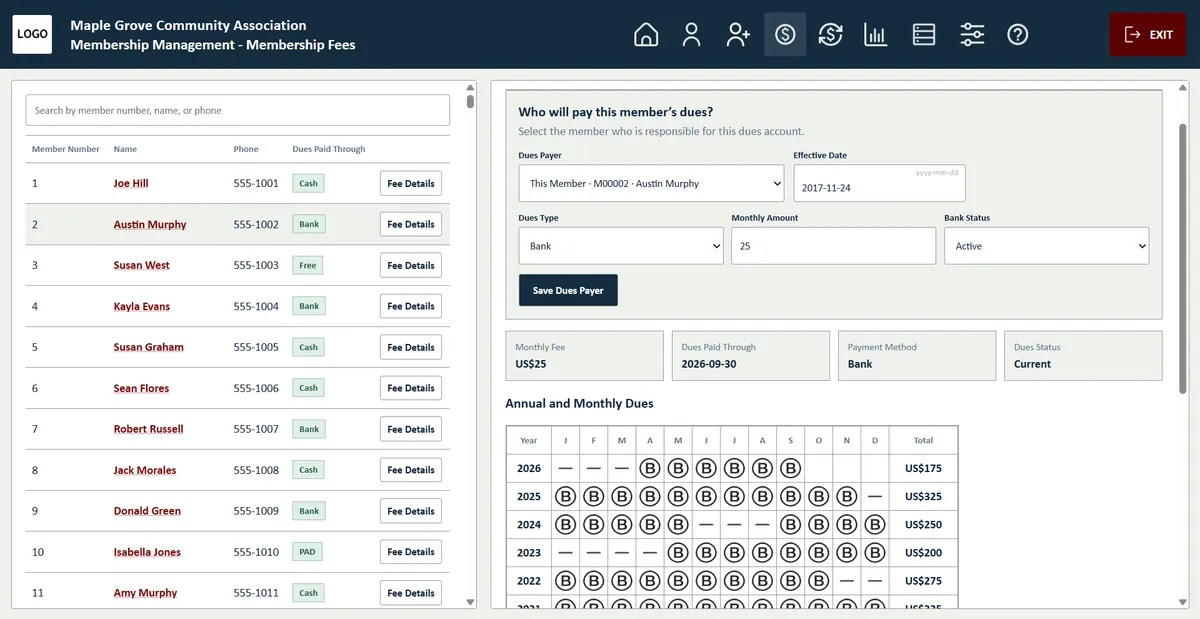
Cash, PAD and bank dues in one table.
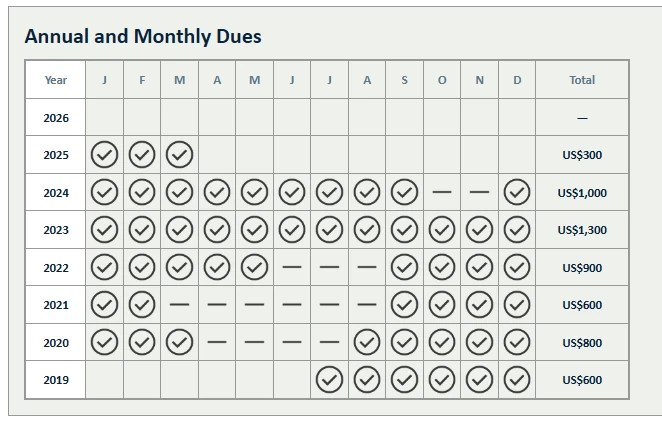
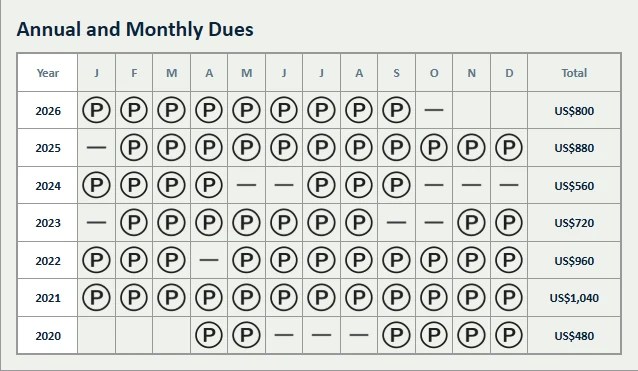
- Year-by-month grid shows every paid and unpaid month at a glance.
- Family and shared accounts: one payer covers a whole household.
- PAD and bank imports record many payments at once, with duplicate checks.
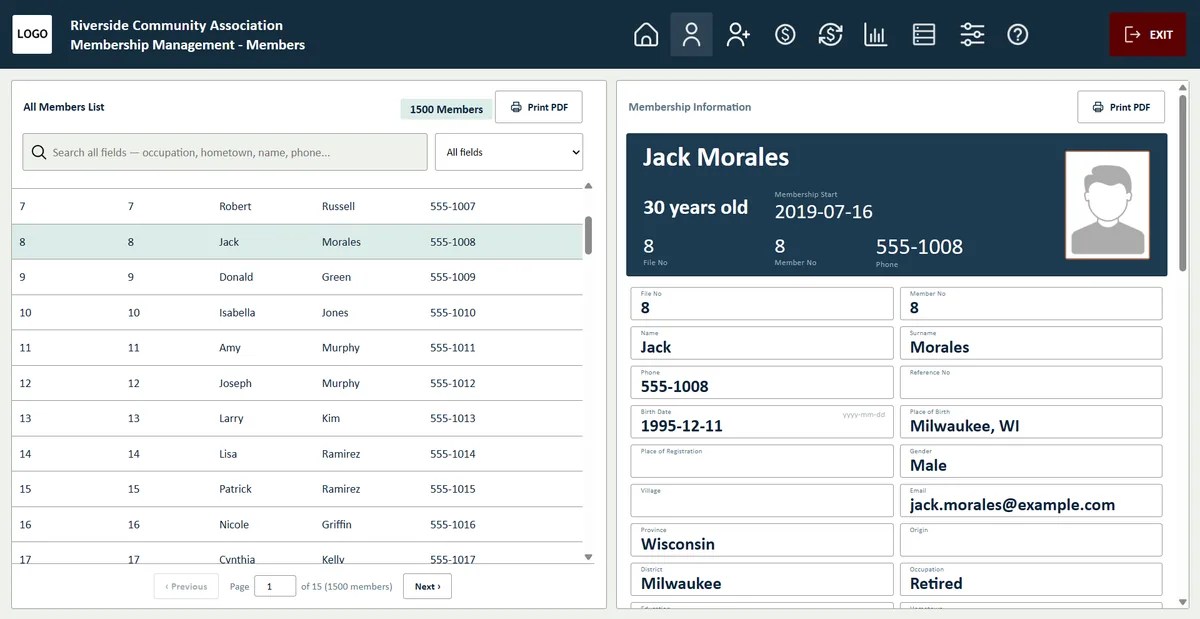
Payment history
Every member’s payment record, ready for the board.
- Find any member by name and open their member card in one click.
- Review the complete dues history year by year and month by month: paid months are marked and unpaid months stand out.
- Print the record as a PDF and present a clear, official overview to your board or committee.
Follow-up
See who is behind before it becomes a problem.
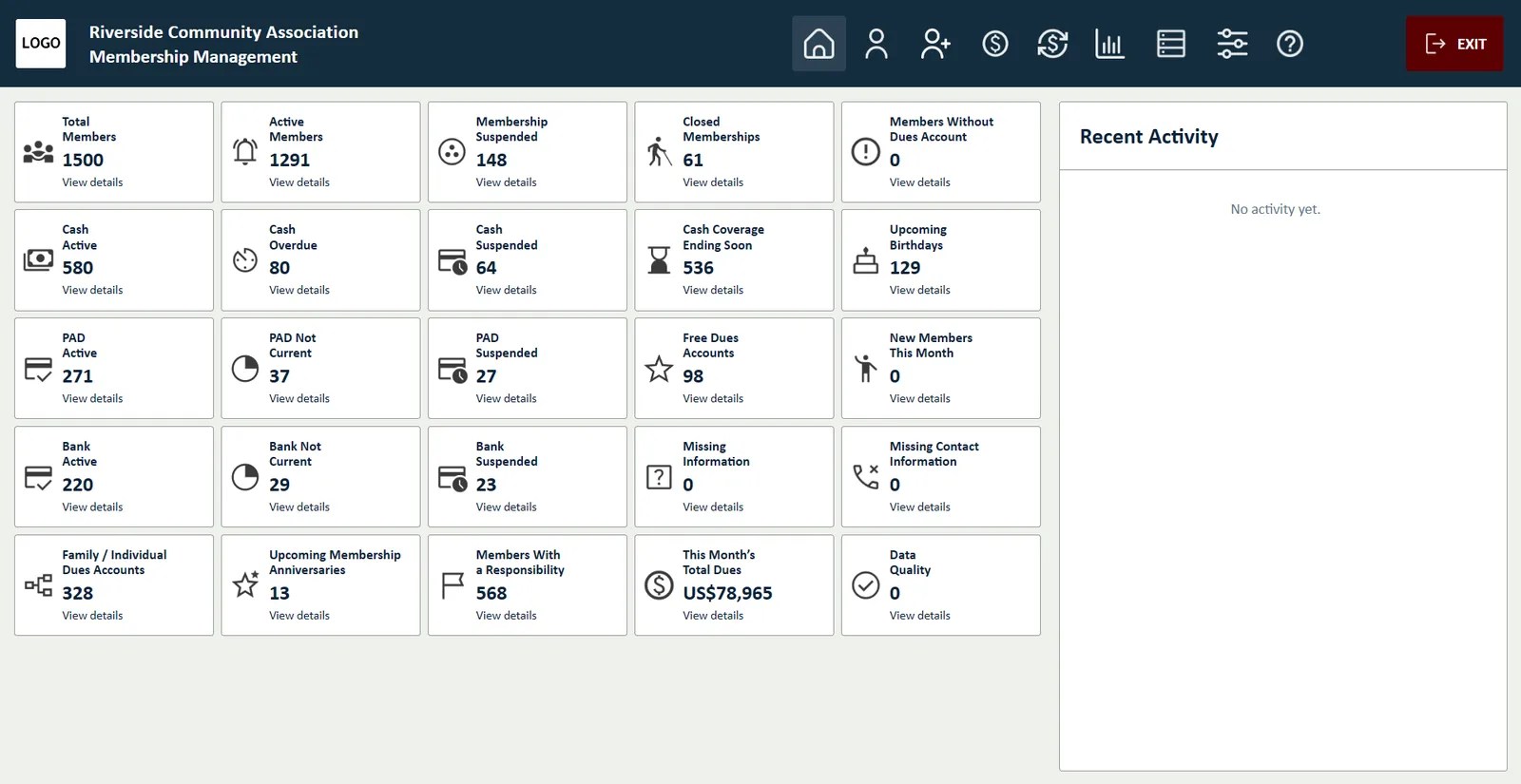
- Coverage ending soon: list the members whose dues coverage runs out in the coming weeks.
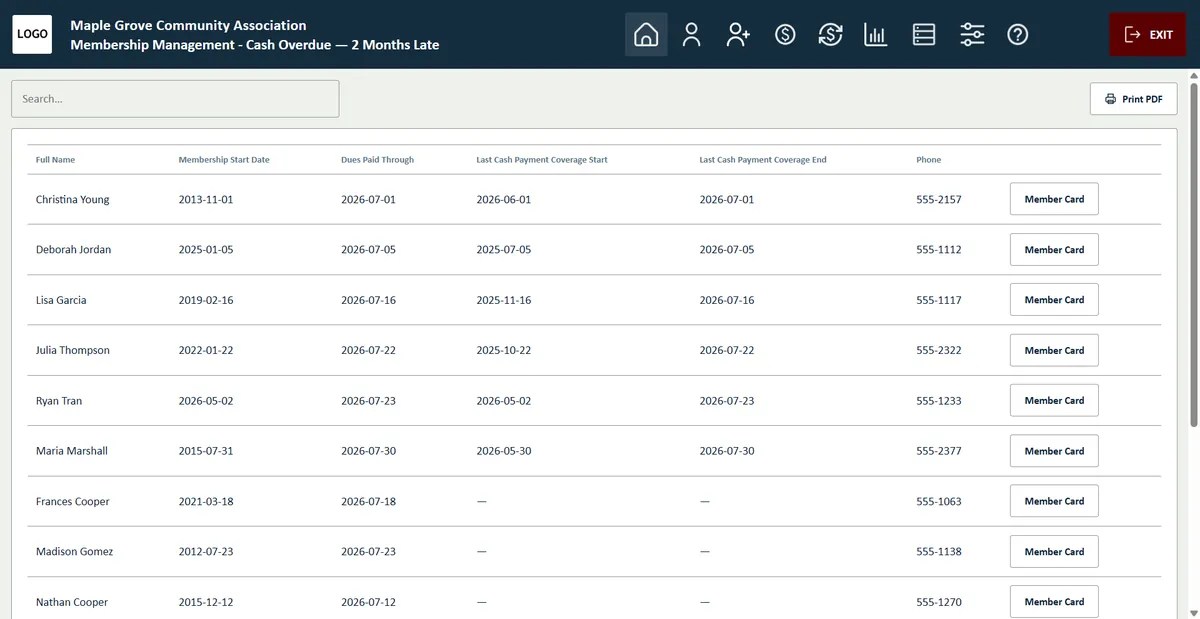
- Months without payment: list the members who have not paid for one, two or more months, with their phone numbers for a quick follow-up.
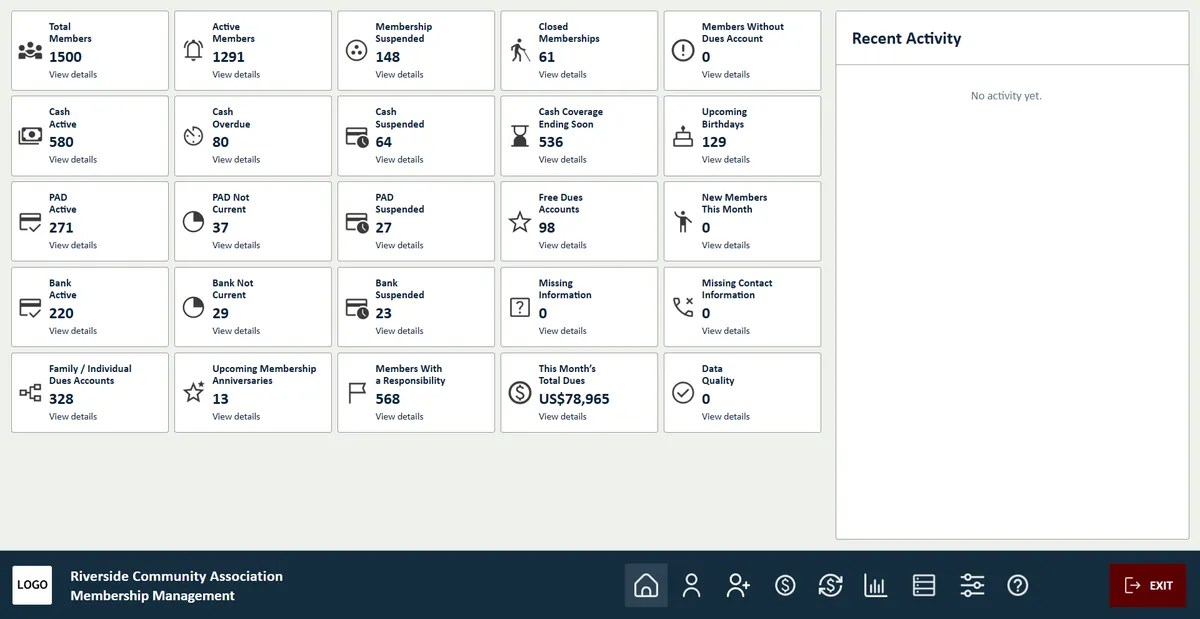
- Dashboard counts for overdue, suspended and expiring memberships, upcoming birthdays and missing information. One click opens the list behind every number.
- Print any list to PDF for your board meeting or phone round.
Search and lists
Build any list from your own records.
- Search by any detail: occupation, hobby, place of birth, dues payment type or past roles in the organization.
- Turn every search into a list you can review, print and share with your team.
- Print lists, statistics and charts straight from your database, ready for meetings and annual reports.
Reports
Numbers your treasurer will thank you for.
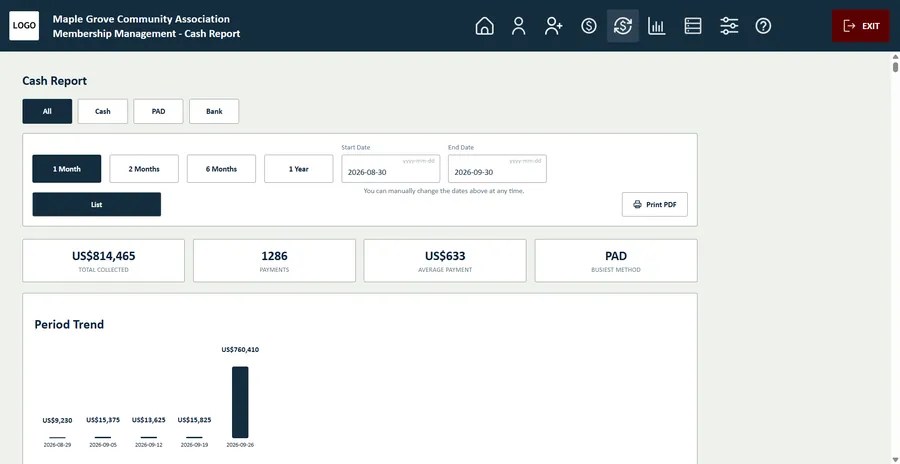
- Cash report for any date range: choose the period, list received and missing dues, and see totals with a period trend.
- Print every report as a PDF for your treasurer and board.
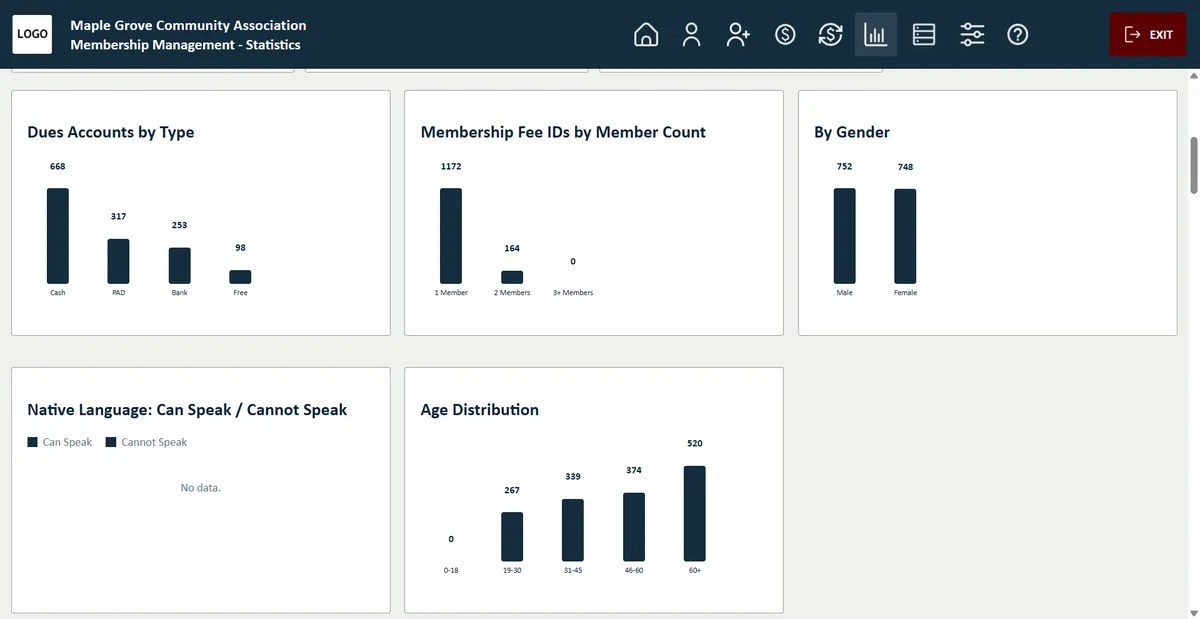
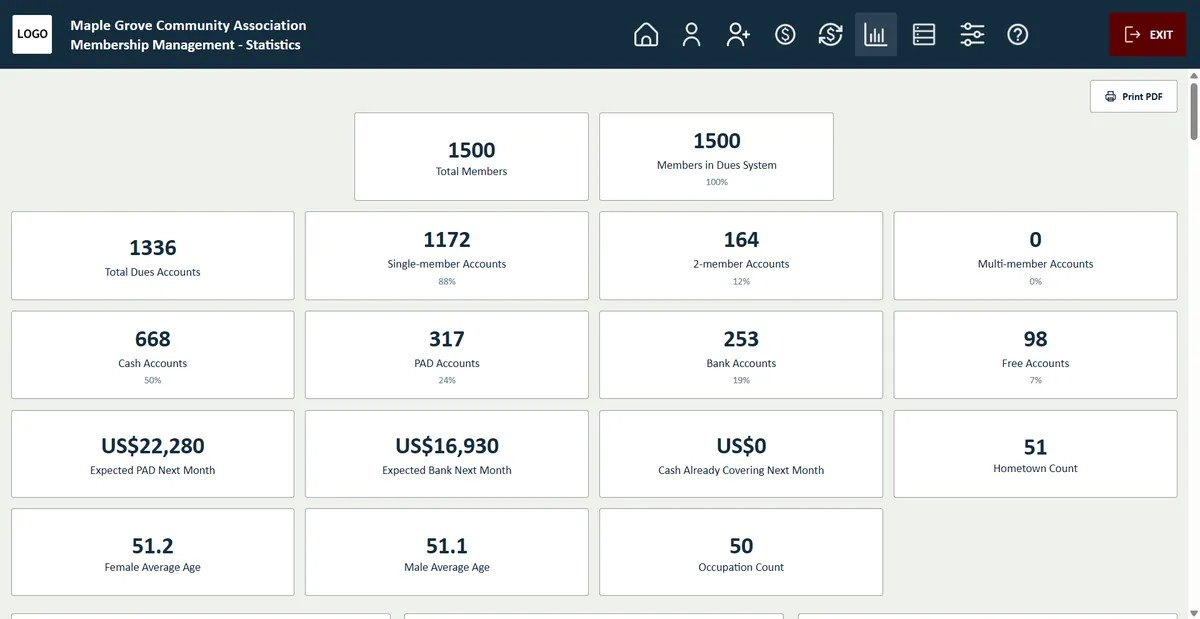
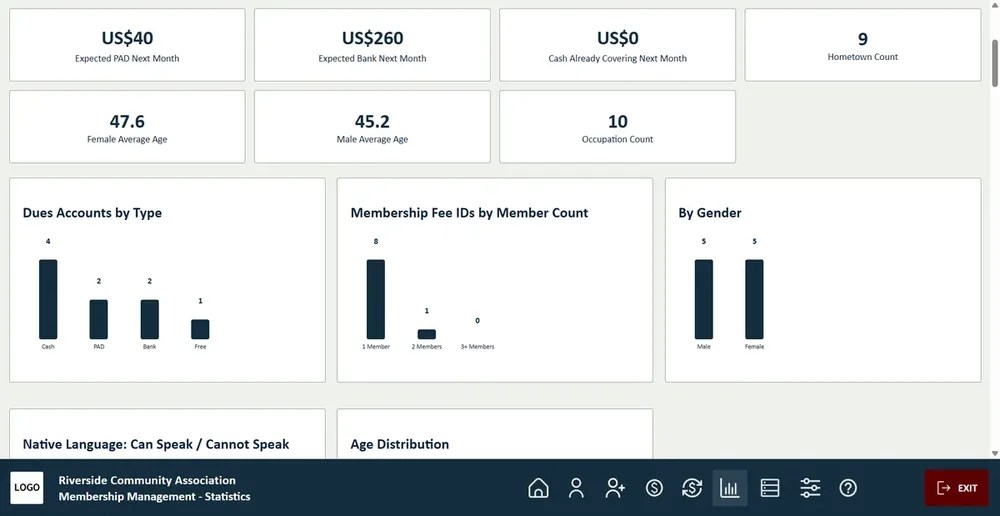
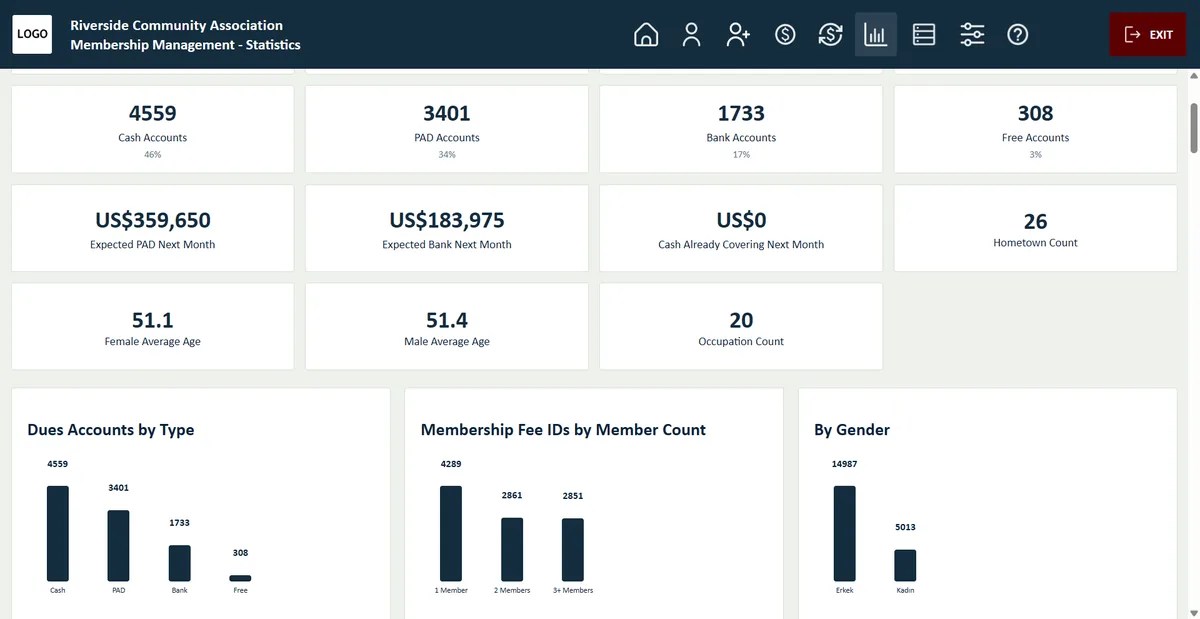
- Statistics on accounts, payment types, gender and age groups.
- Expected PAD and bank income for next month.
With these tools, you always know where your dues stand and can follow up before payments fall behind.
Also included
The details that save time later.
Excel import and export
Bring in your existing member list and export it any time.
Payment lists
All payments for a date range, ready to check or print.
Automatic backups
Dated database and Excel backups of your records.
Six languages
English, Kurdish, Turkish, German, French and Spanish.
Your logo, colors and details
Enter your organization’s logo, name and contact details once. They appear in the program window, and every document you print carries them in its header, together with the document title. Choose a color palette that matches your organization.
Your data, handled for you
Records are kept in a modern built-in database on your own computer. There is nothing else to install: the program sets everything up. Back up to Excel at any time, or import members from an existing Excel list.
License and updates
Activate in Settings, then check for new versions with one click.
Membership & Dues Manager
CA$499
one-time · 1 computer
- Unlimited members and dues records
- Built-in “Check for updates” button
- Move the license to a new computer when you need to
Video tour
See it in action. A short walk through the program.
Questions
Before you buy.
Can I import my existing member list?
Yes. Import your list from Excel, then add dues accounts and payments in the program.
What happens to my trial records?
They stay. Enter your license key and the 10-member limit is removed instantly.
Can I move the program to a new computer?
Yes. Use “Remove license from this computer” in Settings, then activate the same key on the new computer.
Where are my records stored?
In a modern built-in database on your own computer. Nothing is uploaded to a cloud server, and there is no database software to install.
Which member details can I keep?
More than 40 fields, such as first and last name, occupation, date and place of birth, phone, address and past roles. You choose which fields are shown, put them in the order you like and hide the ones you don’t need.
Can I put the toolbar at the bottom of the window?
Yes. In Settings you can place the main toolbar at the top or at the bottom of the window, whichever is more comfortable for you.
How do backups work?
Create a backup with one click and restore it whenever you need to. You can also export your members to Excel, or import them from an existing Excel list.
Can I set the program up for my organization?
Yes. In Organization settings you enter your name, logo, address, phone and e-mail; they appear in the program and on every printout. Color settings let you choose the program’s colors.

